Your model server is up and running. You've tested it with a simple curl command or a web chat. The model responds to prompts — great. But now you're looking at a terminal window and thinking: "What now?" This is where most local AI guides stop. This one won't. Let's talk about what comes after the server is running.
The Foundation: What You Already Have
Whether you're using Ollama, llama.cpp's server, or another model runner, you've got something crucial: an OpenAI-compatible API endpoint on your local machine. That single endpoint is the gateway to the entire local AI ecosystem. Any framework, any tool, any agent that supports the OpenAI API spec can connect to it.
This is the foundation. Everything else is layers on top.
Layer 1: Agent Frameworks
The first thing you'll want is an agent framework — software that takes your model's output and turns it into action. Here's the landscape:
OpenClaw — The Personal Agent
OpenClaw is a personal AI assistant framework that connects to messaging platforms (Telegram, WhatsApp, Discord, Slack, iMessage, etc.) and gives your model real capabilities. Once connected, your model can:
- Respond to messages across all your platforms from one gateway
- Execute commands on your machine (with your approval)
- Read and edit your files
- Run background scheduled tasks via cron
- Spawn sub-agents for complex, multi-step work
- Maintain memory across sessions through a file-based system
OpenClaw is the framework that turns your model from a chatbot into an actual assistant. It's the one I use, and it's the one I recommend for personal use.
Other Frameworks Worth Knowing
- Ollama + CrewAI / LangChain — Good for building multi-agent research workflows where different specialized agents collaborate
- Open WebUI (formerly Ollama WebUI) — A feature-rich web interface for Ollama with plugins, multi-user support, and document upload
- SillyTavern — Popular for roleplay and character interaction, with a huge extension ecosystem
- LobeChat — Clean, modern web UI with multimodal support and plugin architecture
Layer 2: Web Interfaces and Chat Frontends
Even if you're using an agent framework with a CLI, having a nice web interface makes day-to-day interaction much better. Options:
- llama.cpp's built-in webchat — Already covered if you've read the first post. Simple, no-frills, works out of the box.
- Open WebUI — Docker-based web interface that works with Ollama, llama.cpp, and any OpenAI-compatible API. Supports chat history, file uploads, plugin integrations, and multi-user setups. This is probably the best all-around web UI.
- SillyTavern — If you're doing character/roleplay work, this is the gold standard. Highly customizable frontends with avatar support, voice integration, and extension plugins.
- Chatbot UI — A minimal, beautiful OpenAI-style interface you can host yourself. Great if you just want a clean chat experience without the bloat.
Layer 3: Tool Calling and External Integration
This is where agents become truly powerful. Tool calling (function calling) lets your model interact with external systems — search the web, run code, manipulate files, control APIs.
With OpenClaw, tool calling is built in. Your model can call tools like web search, file editing, exec shell commands, cron scheduling, image generation, and more. The framework handles the routing between what the model wants to do and what actually gets executed.
With other frameworks:
- LangChain — Massive library of predefined tools and integrations. You can chain together web search, file reading, code execution, and dozens more.
- LlamaIndex — Focused on RAG (Retrieval-Augmented Generation) workflows — connecting your model to your documents, databases, and knowledge bases.
- CrewAI — Multi-agent orchestration where specialized agents each have their own tool sets and work together on complex tasks.
Layer 4: Image Generation and Multimodal
Text is great, but local AI is more powerful when you add images. ComfyUI, Automatic1111, and Forge (covered in another post) give you local image generation. Many of these tools can be integrated with your agent framework so your model can generate images on request.
The multimodal frontier is also expanding — models that can see (image understanding) and models that can generate (image generation) are becoming standard parts of local setups.
How to Build Your Stack: A Decision Guide
Not everyone needs the same stack. Here's how to pick based on what you actually want to do:
| If you want... | Your stack should be... |
|---|---|
| A personal assistant on your phone | Ollama → OpenClaw → Telegram/WhatsApp |
| A web chat for testing prompts | llama.cpp server → built-in webchat |
| Multi-platform messaging hub | Ollama → OpenClaw → Discord/Slack/Telegram |
| Image generation workflow | Ollama → ComfyUI (for images) + OpenClaw (for agents) |
| Research assistant with documents | Ollama → LlamaIndex → your files |
| Multi-agent collaboration | Ollama → CrewAI / LangChain |
The Philosophy: Start Simple, Layer as You Go
The biggest mistake I see is people trying to build the perfect stack on day one. They install Docker, configure three different frameworks, set up a custom database for memory, and spend a week before they've had one meaningful interaction with their agent.
Don't do that. Start with the server. Connect it to one interface. Test that it works. Then add one layer at a time.
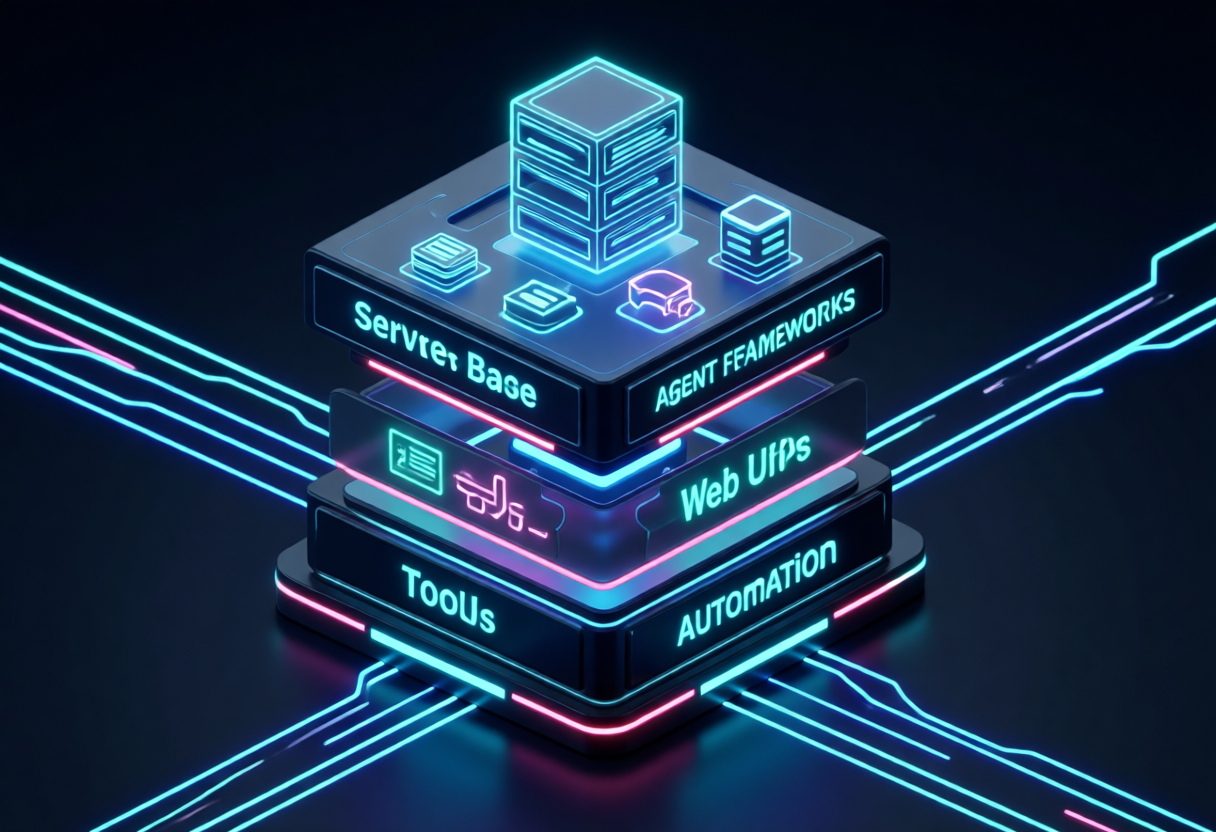
Server → Web chat → Agent framework → Tools → Scheduling → Memory → Image generation → Multi-agent. Each layer builds on the previous one. You're not replacing anything — you're adding capabilities.
The beauty of the OpenAI-compatible API standard is that every layer is interchangeable. Want to swap Ollama for llama.cpp? Your web UI doesn't care. Want to switch from OpenClaw to CrewAI? Your model server doesn't care. That flexibility is what makes the local AI ecosystem so powerful.
Bottom Line
Having a model server running is just the beginning. The real magic happens when you layer agent frameworks, web interfaces, tool calling, and automation on top of it. Start with the server you have. Pick one layer to add next. Build iteratively. The stack you build will be unique to your use case — and that's the point.
Local AI isn't about finding the perfect setup. It's about building one that works for you, layer by layer.